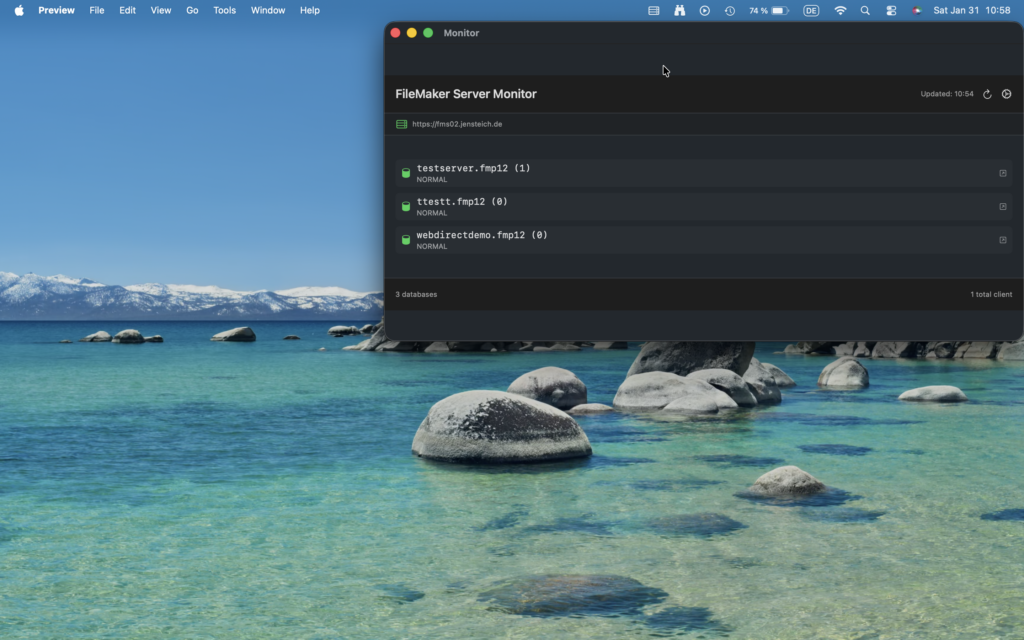
Native macOS Menu Bar App that monitors FileMaker Server® and displays open databases.
Features
- Displays in macOS menu bar with server icon.
- Shows list of all open FileMaker databases.
- Displays client connection count for each database.
- Automatic refresh every 15 minutes (configurable).
- Manual refresh button.
- Secure credential storage in macOS Keychain.
- No dock icon (runs as menu bar app only).
Requirements
- macOS 13.0 (Ventura) or later
- FileMaker Server® with Admin API v2 enabled
- Admin credentials for FileMaker Server®.
Configuration
On first launch, configure the app in settings view, which opens automatically.
- Server URL (e.g., https://your-server.com)
- Admin username
- Admin password (stored securely in Keychain)
- Refresh interval (1-60 minutes, default: 15)
- Click „Save Settings“
Usage
- Click the menu bar icon to view open databases.
- Click refresh icon to manually update.
- Click gear icon to change settings.
- Click „Quit“ to exit the app
Architecture
Components
- FMSMonitorApp: Main app entry point with MenuBarExtra.
- DatabaseMonitor: Manages periodic polling and state.
- FMSClient: FileMaker® Admin API v2 client.
- KeychainService: Secure credential storage.
- Views: SwiftUI views for UI
API Integration
Uses FileMaker Admin API v2:
- Authentication:
POST /fmi/admin/api/v2/user/auth - List databases:
GET /fmi/admin/api/v2/databases
Token-based authentication with automatic refresh every 14 minutes.
Security
- HTTPS-only communication (enforced by App Transport Security).
- Credentials stored in macOS Keychain.
- App sandbox enabled.
- Network access restricted to necessary endpoints.
License
Copyright © 2026 Jens Teich. All rights reserved.